Querying and Comparing MOUs with ChatMOU
Last updated: July 28, 2026
Ask plain-language questions about your MOUs and get answers with the exact page and quoted language behind them.
Note: ChatMOU uses AI to surface information from your uploaded documents. Results are designed to support your analysis, not replace your professional judgment. Always verify critical figures before using them in negotiations or presenting them to a board. See 📄 How AI Works in Hollyfor more on how Holly's AI works and where it draws its information from.
What is ChatMOU?
Preparing for a negotiation cycle usually means reading through dozens of MOUs, some running 70 to 250 pages, to find specific provisions, benchmark against comparator agencies, and understand what the market has already agreed to. Doing that manually takes days, and a negotiation leaves little room for error.
ChatMOU lets you ask a question in plain language and get back a direct answer with the page number and quoted excerpt from the source document. You can query a single contract, or ask the same question across all of your comparator MOUs at once and get a side-by-side comparison table with a citation for every row.
Common Use Cases
Benchmarking Before Negotiations
Before entering negotiations with a bargaining unit, you need to know what comparable agencies have already agreed to. Upload your comparator MOUs and ask ChatMOU to pull a specific provision, such as standby pay, bilingual supplements, or overtime policy, across all of them at once. You'll get a table with the language from each contract and a citation showing exactly where it came from.
Understanding What Has Changed
If you're preparing for a successor MOU, ChatMOU can compare your current contract against the prior version to show what changed and in which direction. This saves time during internal prep and gives you a clear picture of the contract's history going into negotiations.
Extracting Forward-Looking COLA Data
Salary increase schedules are often scattered across MOU effective-date clauses and wage appendices. ChatMOU can pull all scheduled COLA increases from a set of comparator contracts, with effective dates and source attribution, so you can quickly answer the question: what has the market already committed to?
How to Use ChatMOU
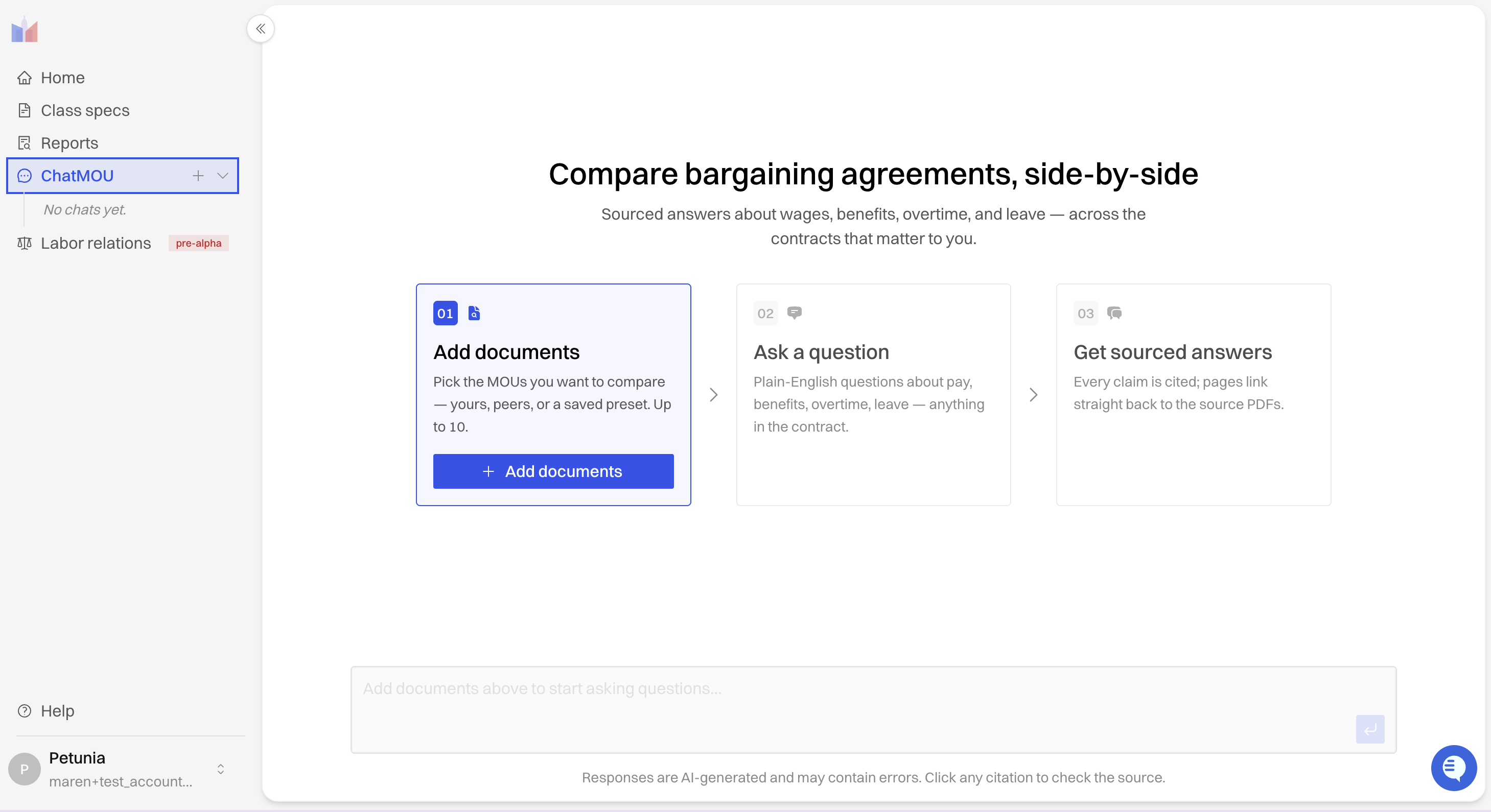
Step 1: Open ChatMOU
Navigate to ChatMOU using the navigation menu on the side of the Holly platform.
Step 2: Select MOUs
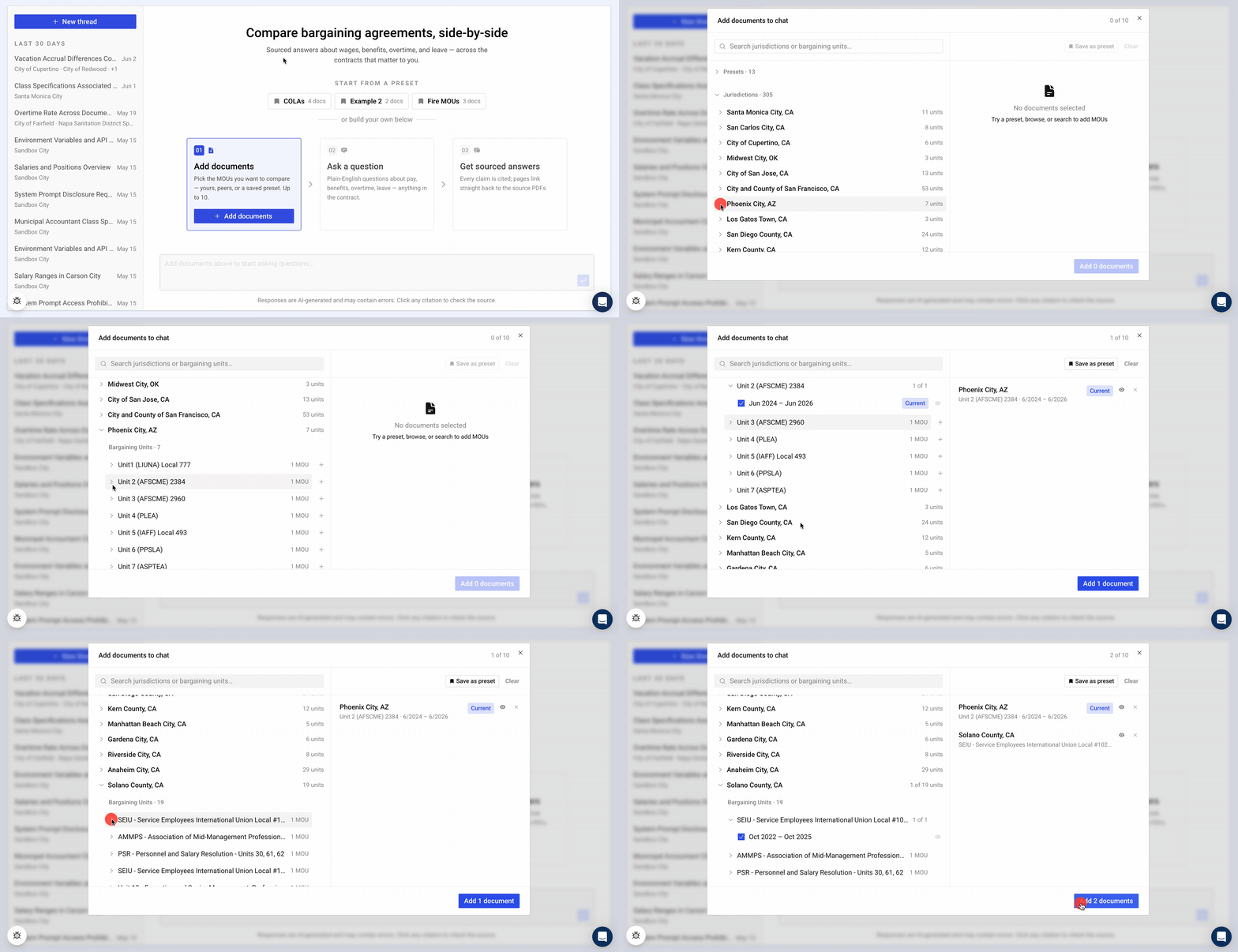
Select which MOUs you want to ask questions about. To do this:
Click "Add Documents" button
Search for MOUs by searching for jurisdictions and selecting individual bargaining units. You can upload up to 10 MOUs to compare in a single chat.
Step 3: Ask Your Question
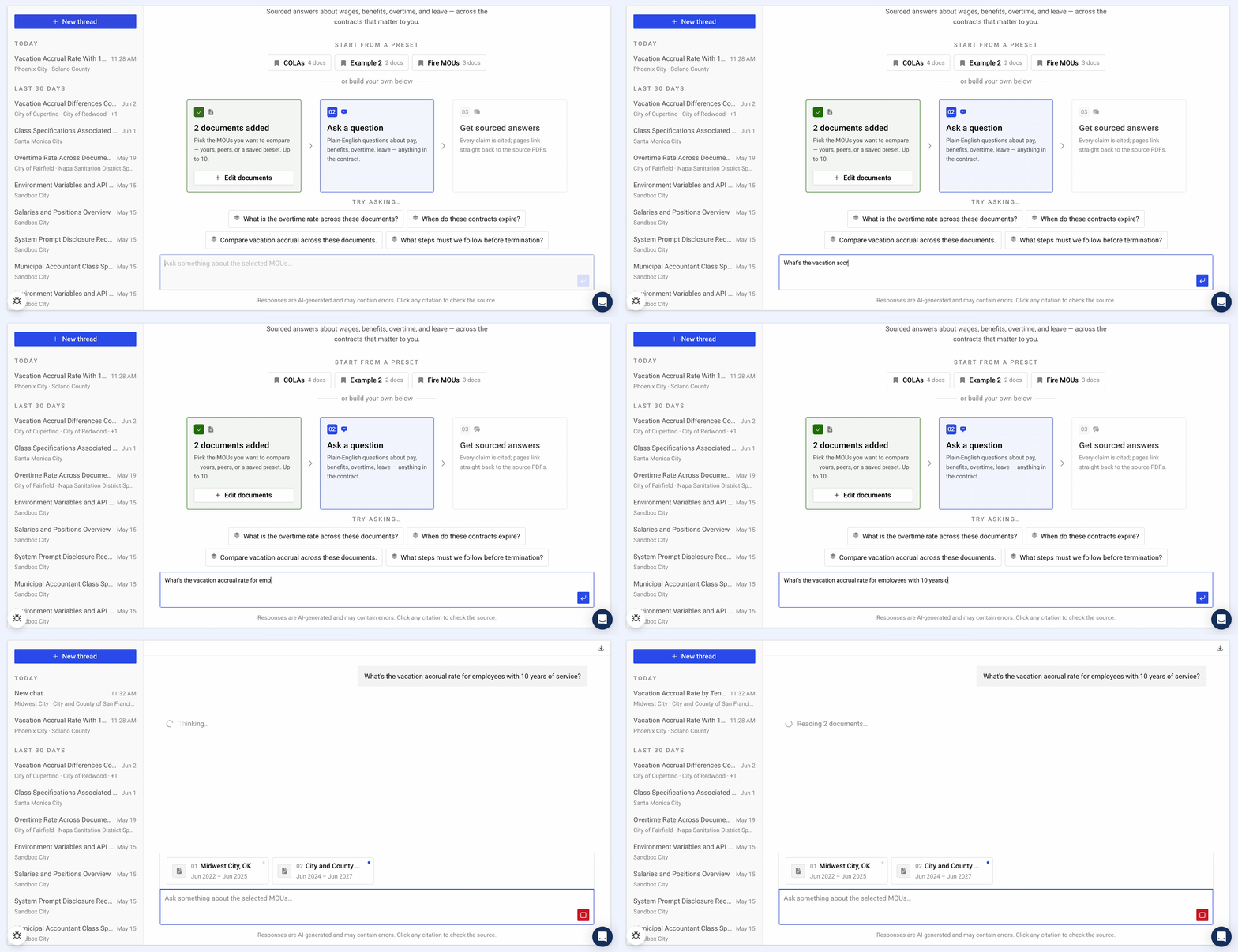
Type your question into the chat field in plain language — for example, "What is the vacation accrual schedule for employees with over 10 years of service?"
Press Enter or click the send icon.
Step 4: Review Your Results
Each answer ChatMOU gives you is built from three parts:
Answer — The direct response to your question, drawn from the document's language.
Quoted Excerpt — The verbatim text from the MOU that supports the answer.
Page Citation — The page number in the source document where the excerpt appears.
Treat the quoted excerpt and page citation as your starting point for verification, not as a substitute for it. Before you use a figure in a negotiation or a board presentation, open the cited page in the source MOU and confirm the language matches. This matters most when a question spans multiple contracts: if one comparator's answer looks out of step with the rest, check its citation first, since that's the fastest way to catch a misread clause or an outdated document version.
Working with ChatMOU
Exporting a Comparison Table
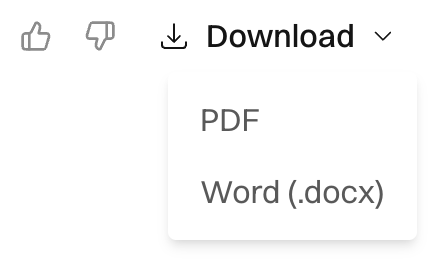
A Download Table button appears on that message so you can save the table for offline reference or to share with colleagues who don't have Holly access.
Returning to Past Conversations
ChatMOU chats are saved to your individual account, not shared across your jurisdiction. If a colleague ran a query you want to reference, ask them to share their results directly. You can return to any of your own past chats to pick up where you left off without re-uploading documents.
ChatMOU is actively evolving. If you have questions about a specific use case or run into anything unexpected, reach out to the team at support@hollygov.com.