Stages vs. Steps in the Approval Workflow
Last updated: November 18, 2026
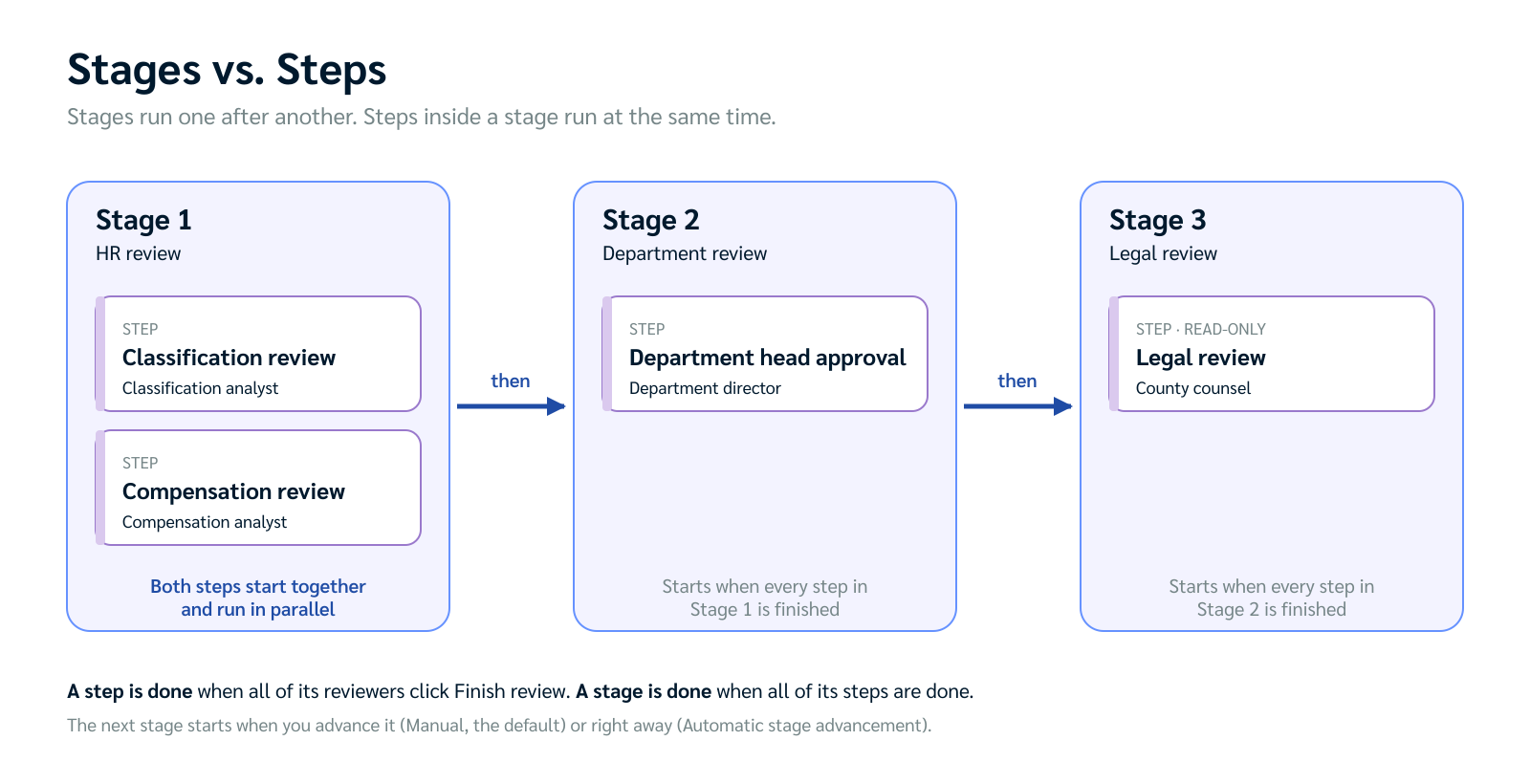
Every approval workflow in Holly is built from stages and steps. Stages run one after another. Steps inside a stage run at the same time. Knowing the difference helps you route a spec to the right people in the right order.
Stages and Steps at a Glance
Stage | Step | |
|---|---|---|
What it is | A phase of your review, such as HR review or Legal review | One review assignment inside a stage |
Order | Sequential. Stage 2 doesn't start until Stage 1 is done. | Parallel. Every step in a stage starts at the same time. |
Who's assigned | No one directly. Reviewers are added to its steps. | One or more reviewers, internal or external |
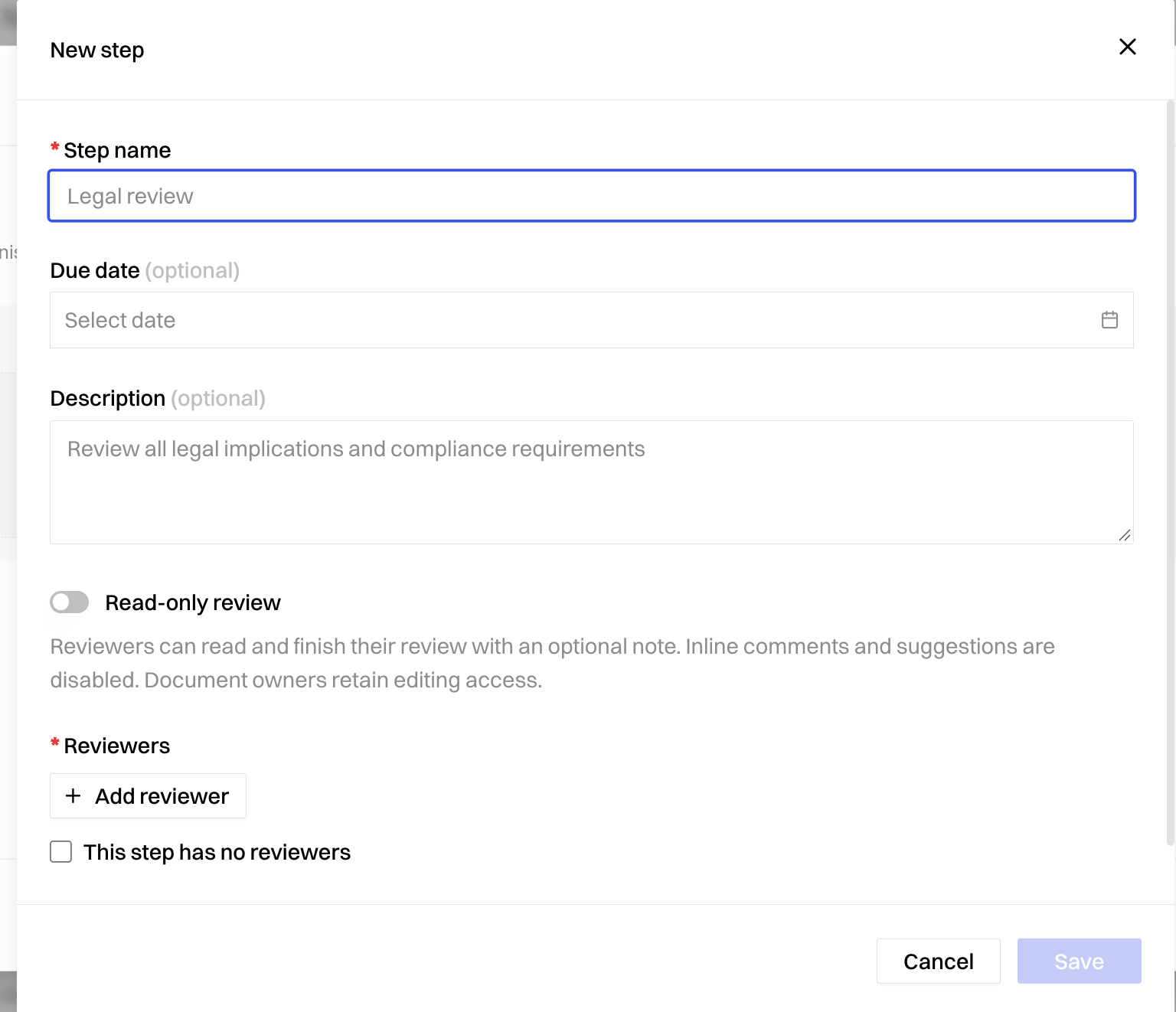
Settings | None of its own | Name, description (instructions for reviewers), optional due date, reviewers, and whether the review is read-only |
When it's done | When every step in it is done | When every reviewer in it clicks Submit review |
What You Set on a Step
Most of the details of your workflow live on its steps:
Step name: What reviewers see, such as "Compensation review."
Description: Instructions that tell reviewers what to focus on.
Due date: Optional. Measured from when the step starts.
Reviewers: People with Holly accounts, or external reviewers added by email. Everyone in a step reviews at the same time, and you can't set an order within a step.
Read-only: Lets reviewers read the spec and leave an overall comment without editing or commenting on the text.
How a Workflow Moves Forward
When you start the workflow, Holly notifies the reviewers in every step of Stage 1.
Each reviewer clicks Submit review when they're done. A step is complete when all of its reviewers have finished.
A stage is complete when all of its steps are complete.
The next stage starts. How it starts depends on your workflow's Automatic stage advancement setting:
Manual (the default): The workflow pauses after each stage until you advance it.
Automatic: The next stage starts as soon as the last reviewer in the current stage finishes.
When the final stage is complete, you can publish the spec.
This setting applies to the whole workflow, not to individual stages.
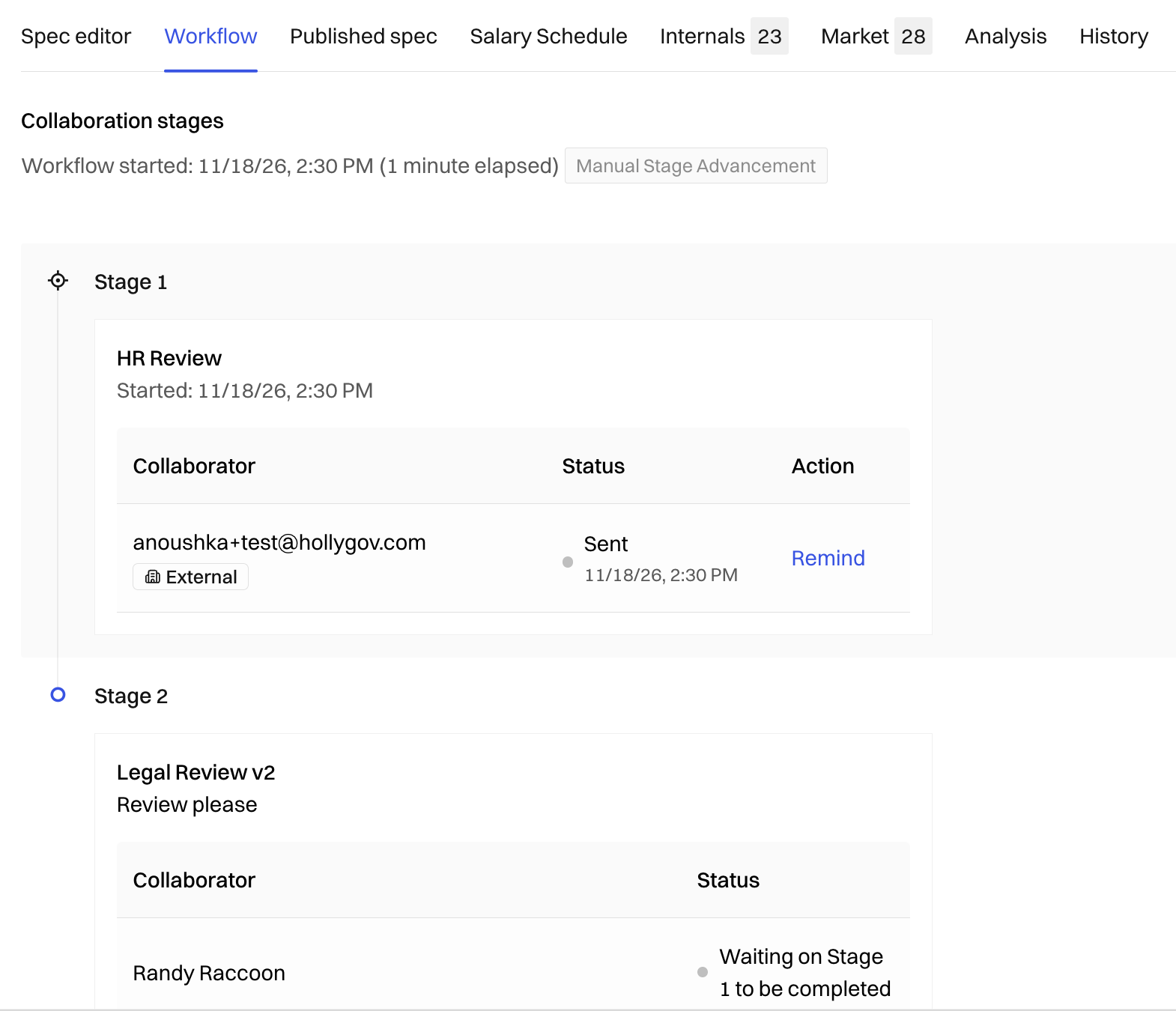
Tip: Need to move on without waiting for everyone? Use Force finish stage on the Workflow tab. Reviewers who haven't finished are marked Skipped.
Quick Rules of Thumb
If you want to… | Do this |
|---|---|
Have one group finish before another starts | Put them in separate stages |
Have several groups review at the same time | Put them in separate steps in the same stage |
Give different groups different instructions or due dates | Give each group its own step |
Let someone read the spec without editing it | Turn on read-only for their step |
Review stage results before the next stage begins | Keep stage advancement on Manual |
Next Steps
Ready to build your workflow? Questions about how to structure it for your agency? Reach out to support@hollygov.com.
Related Articles
📄 How Holly's Approval Workflow Works: An overview of the approval workflow
📄 How to Set Up an Approval Workflow: Build stages and steps and start a review
📄 How to Manage an Active Approval Workflow: Send reminders, advance stages, and track progress