How to Review a Specification in Holly as an External Reviewer
Last updated: August 31, 2026
How to open, read, and leave feedback on a job specification someone sent you for review, no Holly account required.
Someone working in government uses a platform called Holly to manage class specifications or "specs," and they've asked you to review one. You don't need to create an account or learn the rest of the platform. You just need to open a link, read the document, leave your feedback, and let them know when you're done.
Opening the Specification
Look for an email from support@hollygov.com inviting you to review a class spec. The subject line will say, "Action: Your review is needed", and it will say who is sending you the class spec for review (in this case, the user is "Holly").
It will tell you which position you're reviewing and who asked for your input. If there's any deadline or description, you will see it in the description as well.
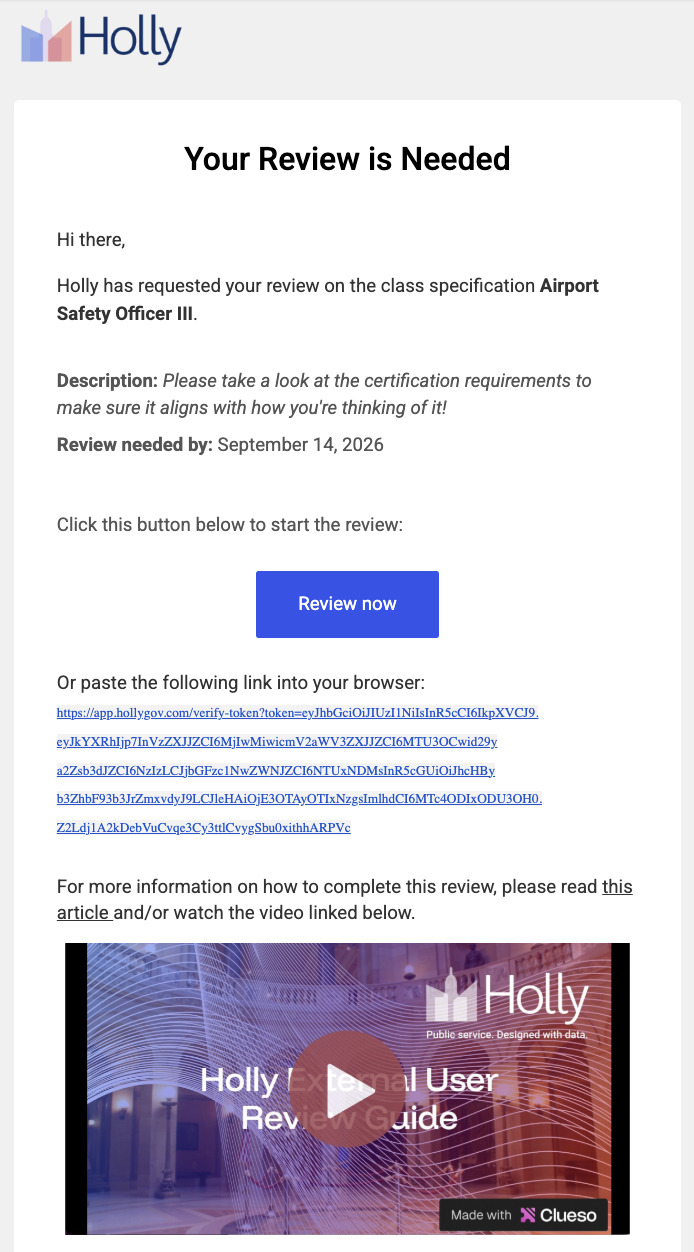
Click the review link in the email. It opens the specification directly in your browser. No login or account setup is required.
You'll land on a single page with the specification's content on the left and a Comments panel on the right.
Reading the Specification
Take your time reading through the specification.
Leaving Feedback
There are two ways to leave feedback, depending on what you want to say.
Add a Comment
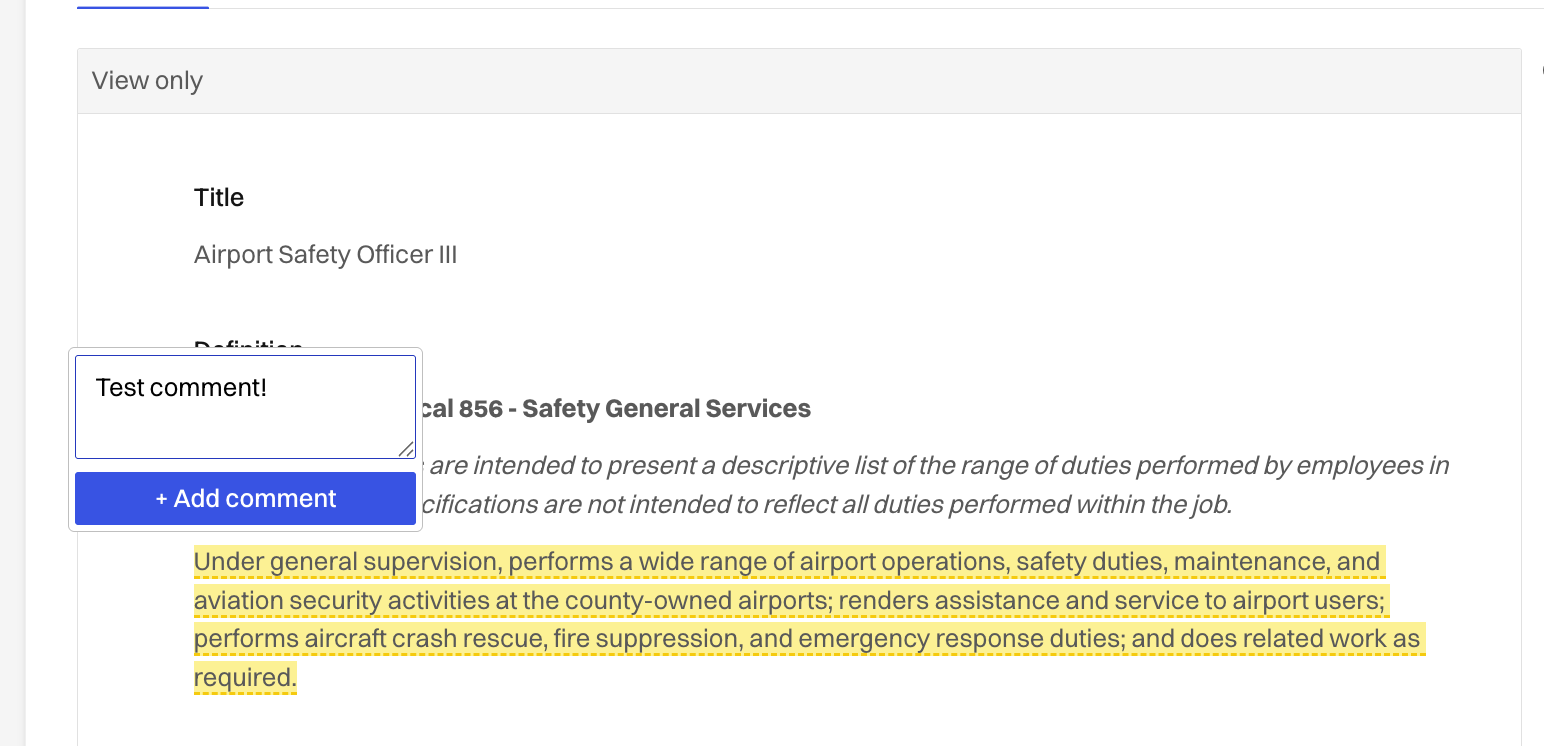
If you have a question or a concern that doesn't come with an exact fix, highlight the text you're commenting on and type your note. The comment will then be logged in the right-hand "Comments" section for the document owner to see.
Suggest an Edit
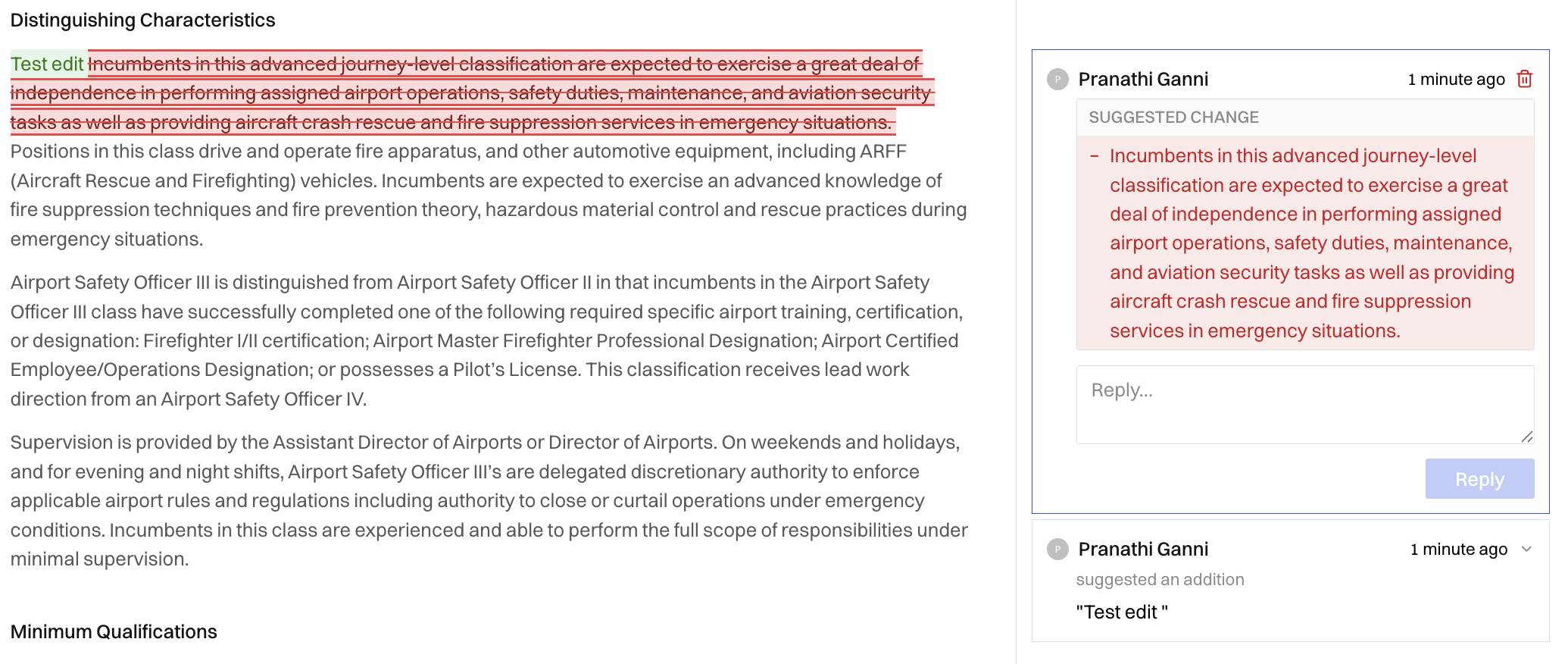
If you know exactly what the text should say you can edit the text directly. Your changes show up as tracked edits, with additions in green and deletions struck through, for the document owner to accept or reject.
Finishing Your Review
Once you've added everything you want to say, click Finish review near the top of the page. A window opens where you can optionally add a public note summarizing your overall feedback, like "Looks good overall, just flagged a couple of questions." Click Finish to submit.
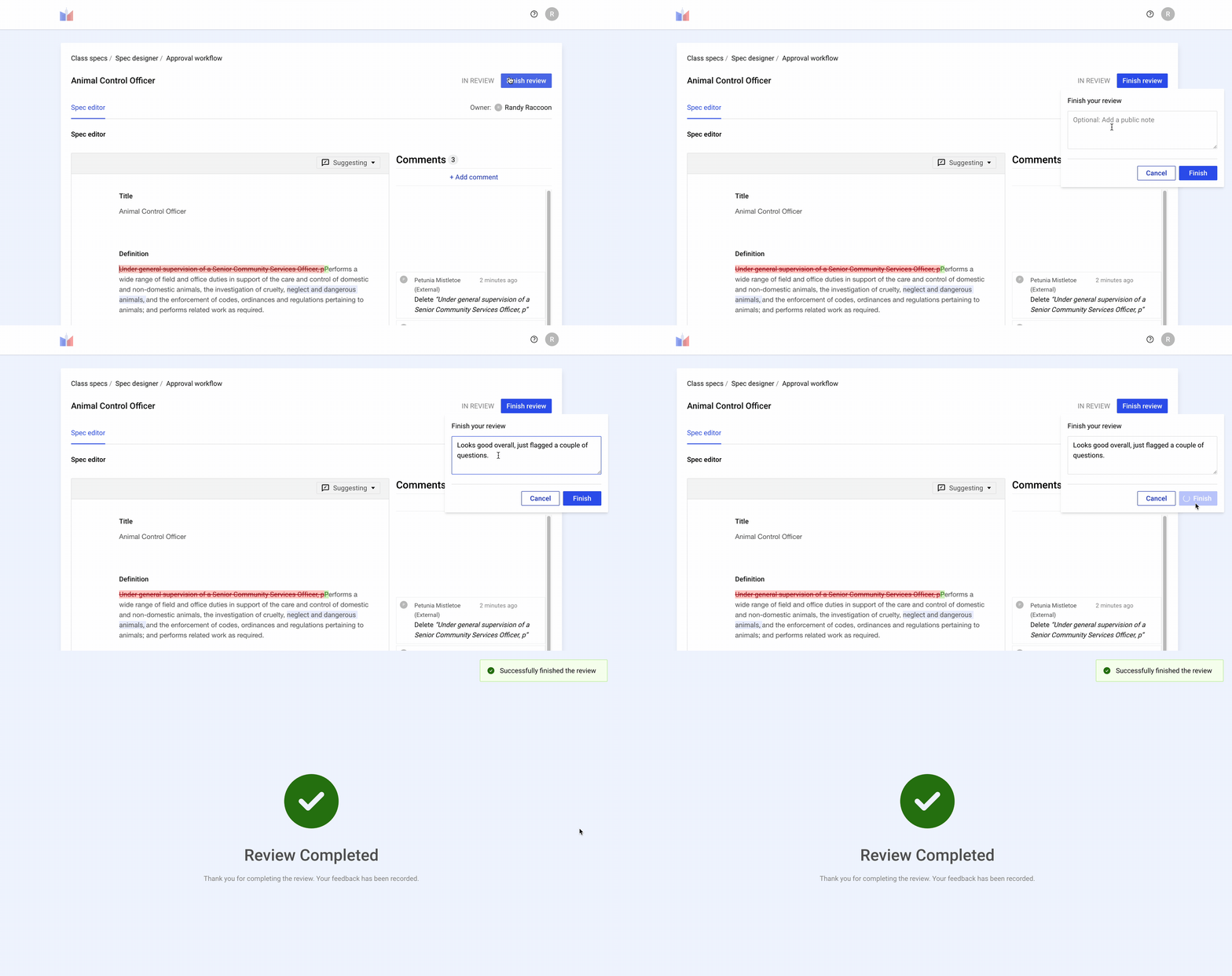
That's it. Your review is complete, and the person who asked for your feedback will follow up from here. You don't need to do anything else, and you can close the window.
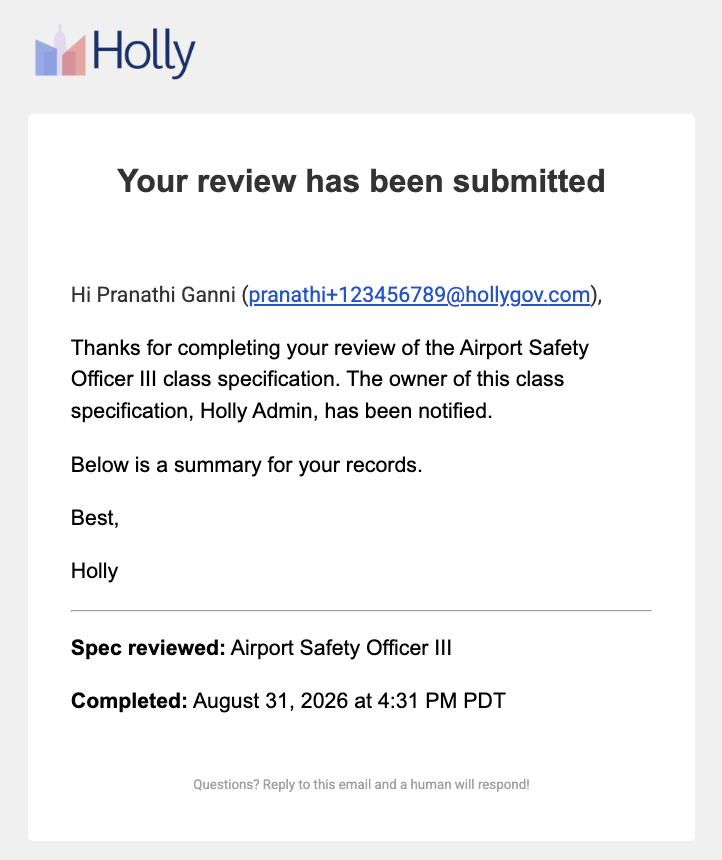
You will receive an email confirmation from the "support@hollygov.com" with the subject line: "Your review of [name of class spec] has been submitted". The document owner will receive an email saying that your review has been completed as well!