How to Reset Your Password on Holly
Last updated: September 29, 2026
Resetting Your Password if your Organization does not use SSO
If you've forgotten your password:
On the login screen, click Forgot Password.
Enter your email address and submit.
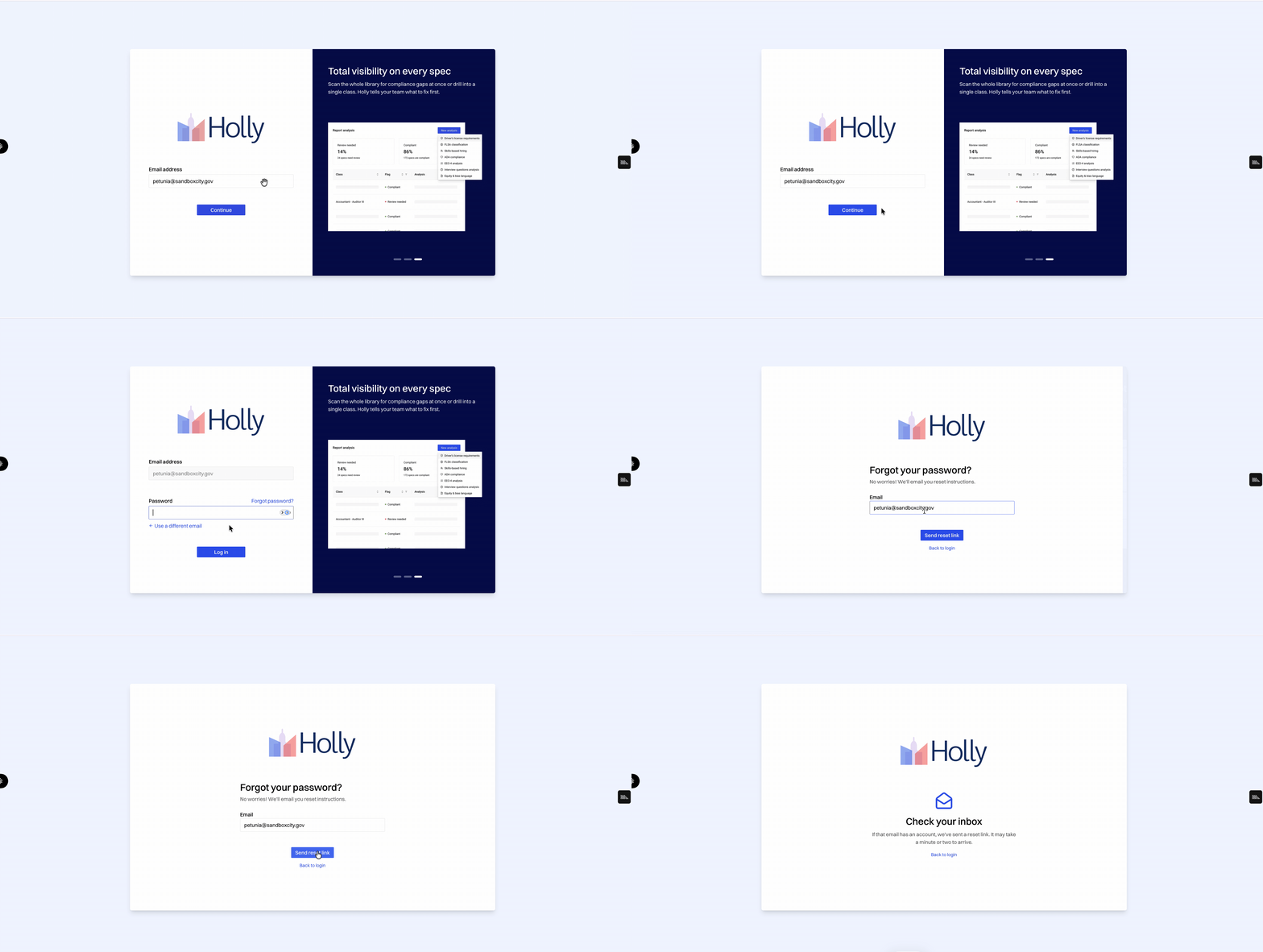
Open the reset link in the email you receive and create a new password --- the reset link is live for 15 minutes before it times out.
Return to the login screen and sign in with your new credentials.
Note: If the email doesn't arrive within a few minutes, check your spam/quarantine folder and confirm you entered the correct address. Contact Holly Support if you still don't receive it.
How to Reset Your Password if your Organization does use SSO
Reach out to your organization's IT team to reset your password, since your IT team stores and manages your credentials. If you continue to experience challenges, please reach out to the support team at support@hollygov.com