Updating a Class Spec with Language Finalized Outside Holly
Last updated: November 13, 2026
Bring language your agency finalized outside Holly, such as edits from union negotiations, into an existing class spec and publish it as the new version.
Sometimes a spec's final language is settled before it comes back to Holly. The approvals already happened, and you just need Holly to reflect the agreed-upon version before our data refresh process.
Instead of creating a brand-new spec, update the existing one. That keeps the spec's history in one place, so you can always see what it said before and after the change. You can use Holly's three step process for updating such a class spec.
If there are many class specs where the language has changed, reach out to the Holly support via the in-platform chat or support@hollygov.com so we can determine ways to support you in ensuring the Holly platform has the most relevant data in the platform.
How to Update the Spec
Step 1: Find the spec and create a draft
Go to Class Specs and search for the existing specification.
Open the spec.
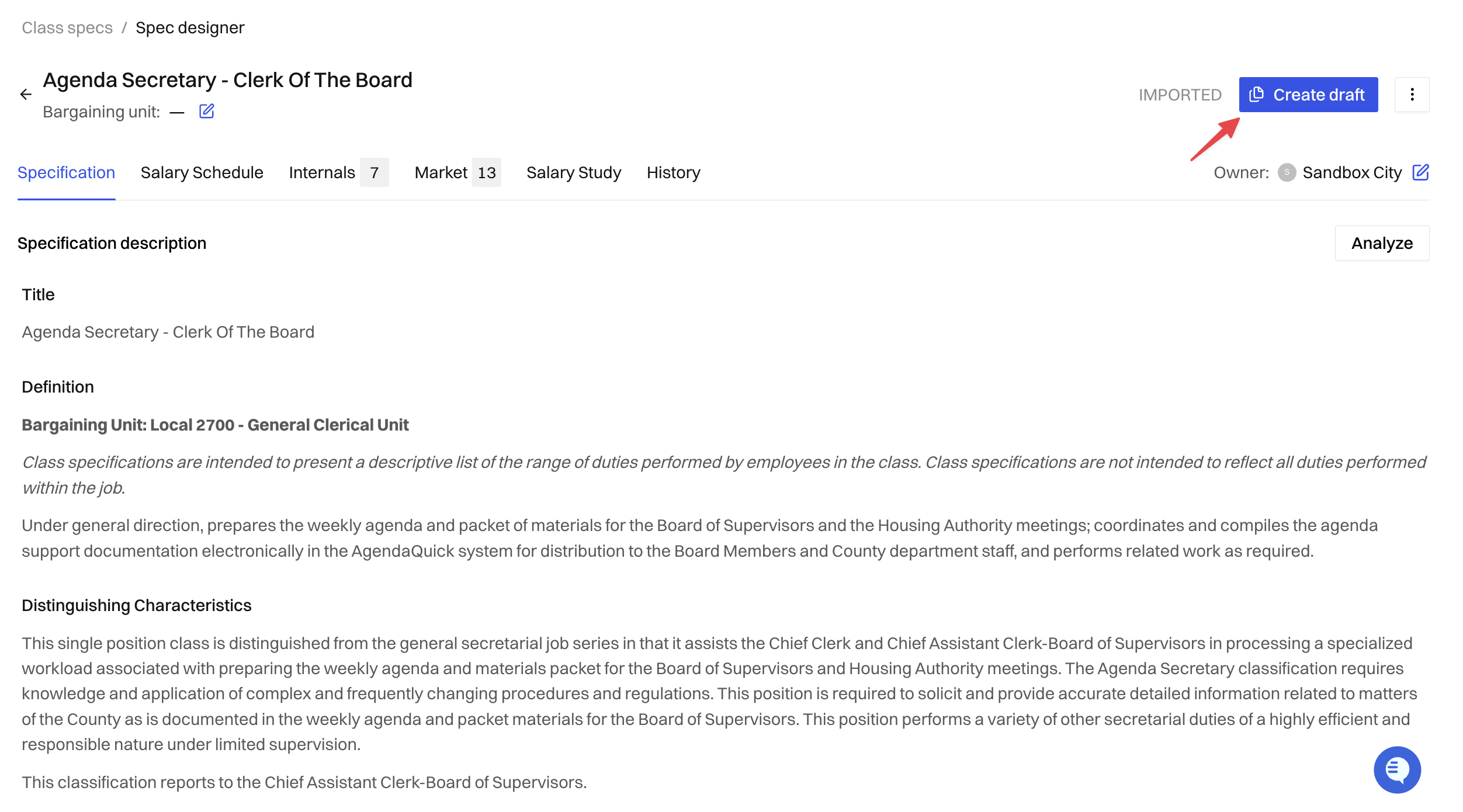
Click Create Draft. Holly confirms the draft was created, and the published version stays live until you publish your changes.
Step 2: Add the updated language
Choose whichever approach fits your edits:
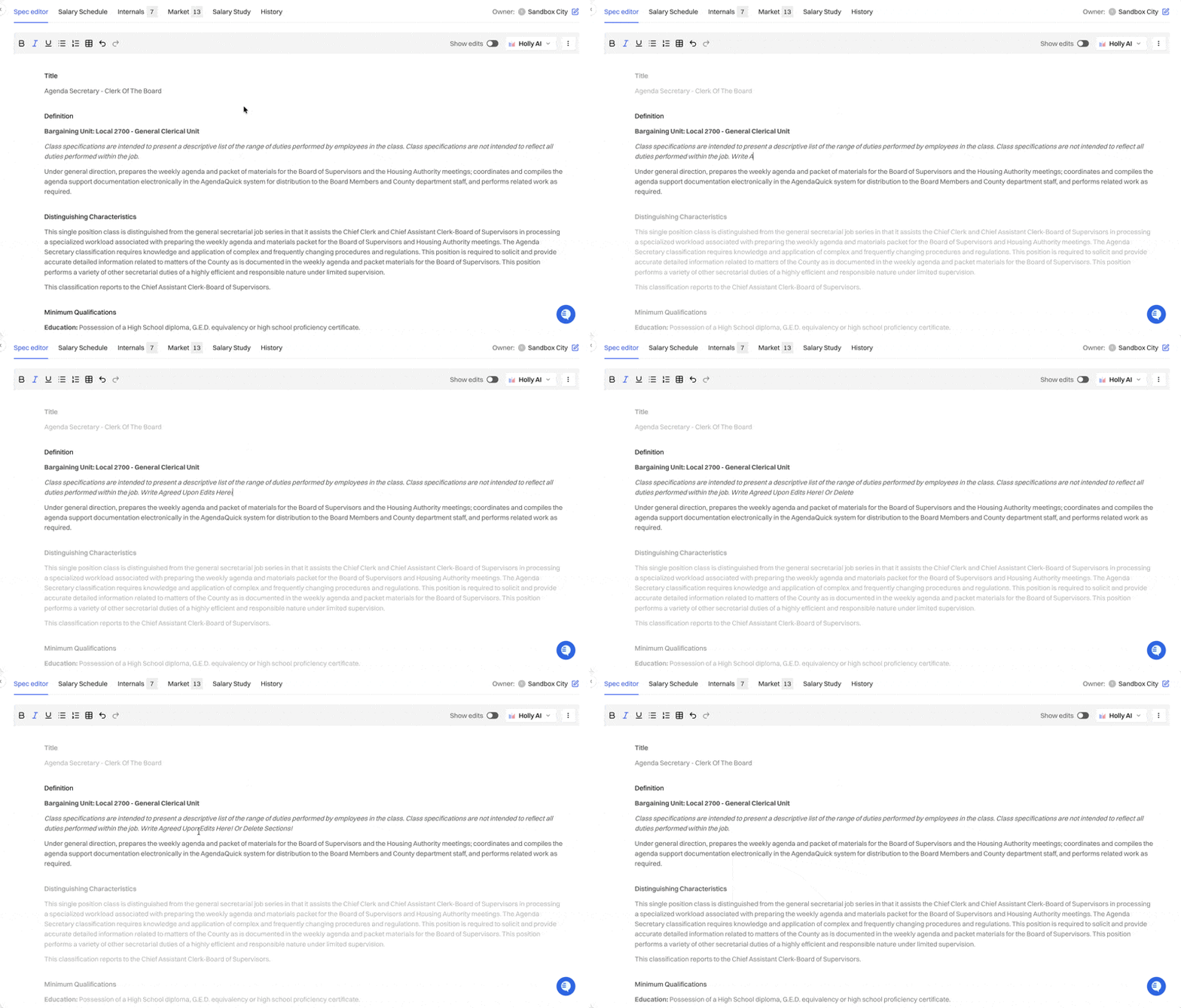
Edit manually: Click into each section that changed. Paste or type the finalized language, and delete anything that was removed. This is the most reliable way to match an approved document word for word.
Tip: You can toggle on Show edits to see every change from the current published version, and check that each one matches what was agreed.
Step 3: Publish the update
How you publish depends on whether your agency has Publish without approval turned on.
If "Publish without approval" is turned on:
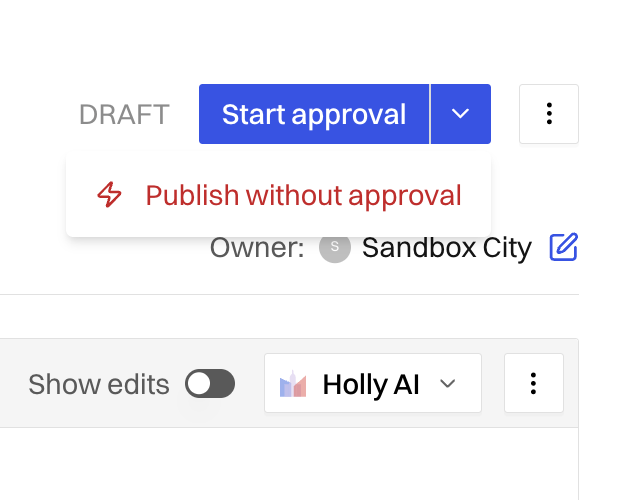
Click the dropdown arrow next to the approval button at the top of the editor.
Select Publish without approval.
Holly publishes the spec immediately, replacing the current version.
If it isn't turned on: Send the draft through your agency's approval workflow as usual. See 📄 How to Publish a Specification.
About Publish Without Approval
Publish without approval lets you skip the approval workflow and publish a draft right away. This option is turned on per agency. To turn it on for your agency, email support@hollygov.com or contact us via in-platform support.
Seeing the Old and New Versions
Updating the existing spec keeps its full history, so you can always look back at what changed.
Before you publish: Turn on Show edits in the draft. Added text is underlined and removed text is struck through, compared to the current published version.
After you publish: Open the History tab to view and download earlier published versions of the spec.
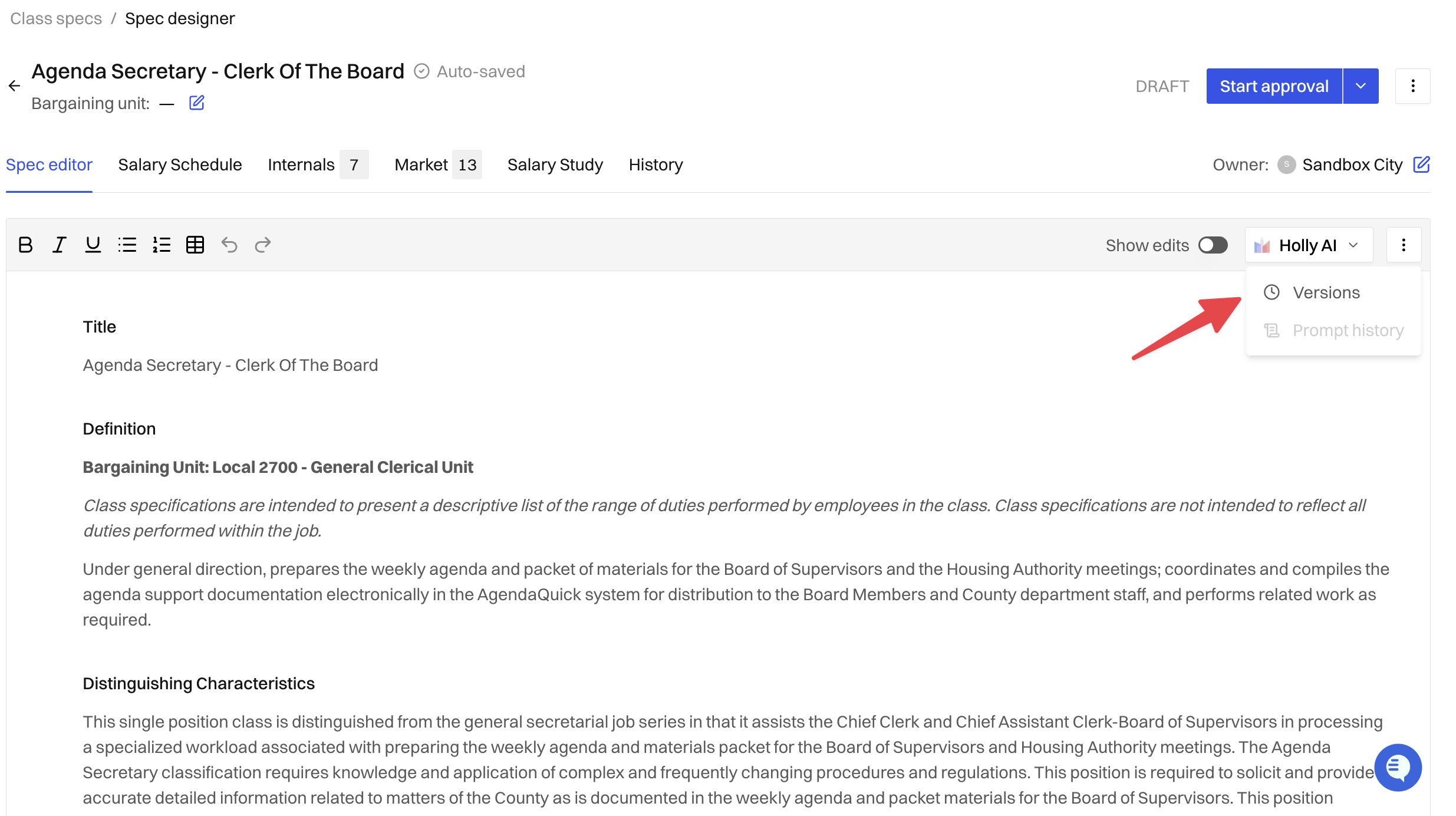
Every edit: Open Versions to see each change made to the spec, who made it, and when.
Related Articles
📄 Editing a Class Specification: Rewrite with AI and Edit Manually: Edit a spec yourself or with Holly AI
📄 How to Publish a Specification: Move a draft through approval and publishing
📄 The History Tab: View and download earlier published versions of a spec