A Class Specification in Holly
Last updated: July 24, 2026
Open any spec from your dashboard and you'll find everything about that classification in one place — the full document, quality scores, available actions, and tabs for benchmarking and history.
What You See When You Open a Spec
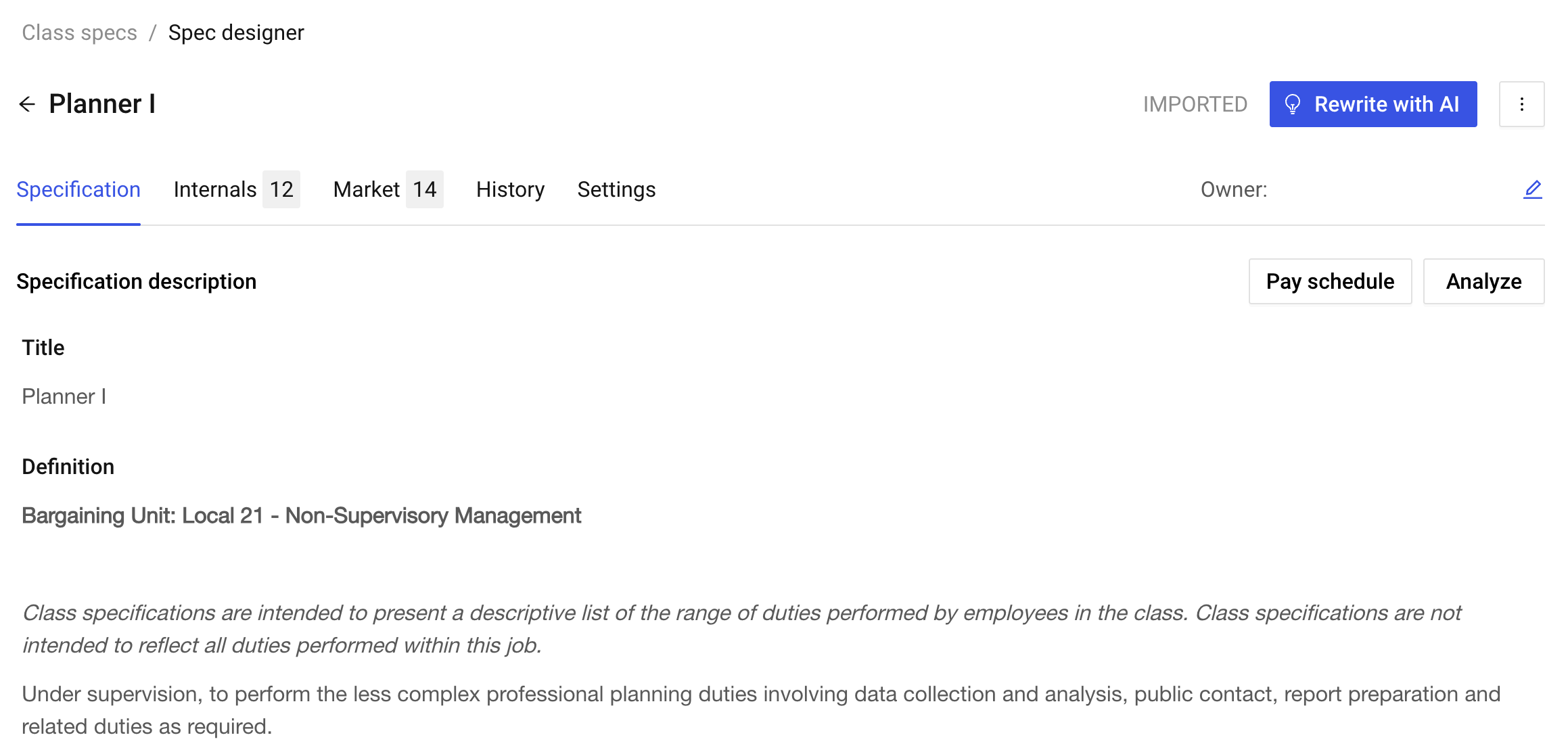
When you click into a specification, the top of the page shows the job title, title code, and current status. Below that, five tabs organize everything else:
Specification — The full job description. This is the tab this article covers.
Internals — How this role compares to similar classifications within your organization. For more information, see 📄 Understanding Similarity Analysis.
Market — External benchmarking against comparator jurisdictions. For more information, see 📄 Understanding Similarity Analysis.
History — A record of changes and revisions over time. For more information, see 📄 The History Tab.
Settings — Edit the job code or delete the spec. Only available to the document owner. For more information, see LINK!
Specs can exist in one of five states: Imported, Draft, Published, In Review, or Archived.
Reading Specification Content
Holly displays your specification using your organization's customized template. The exact sections vary by jurisdiction, but common components include:
Job title and definition
Examples of duties
Knowledge, skills, and abilities
Minimum qualifications
Distinguishing characteristics
Physical or working conditions
Special requirements
Your template was configured during implementation to match your organization's existing format.
Available Actions
The buttons and menu options at the top of the page change depending on the spec's current status.
Action | What it does | Draft | Published |
Rewrite with AI | Generate an AI-drafted revision of the full spec | ✓ | ✓ |
Analyze | Run FLSA, ADA, Driver's License, Skills, EEO-4, or Interview Question analyses | ✓ | ✓ |
Export | Download the spec as a Word doc or PDF | ✓ | ✓ |
Source link / Pay schedule | View linked external resources | ✓ | ✓ |
Create Draft | Open a working copy you can edit without changing the published version | x | ✓ |
Merge Specs | Combine this classification with similar ones | x | ✓ |
Archive | Remove from active use while preserving the record | x | ✓ |
Delete Draft | Remove the draft permanently. Note: published specifications cannot be deleted, only archived. | ✓ | x |
For more information about editing class specs, see 📄 Editing a Class Specification: Rewrite with AI and Edit Manually.